
JellyFish is a 3v3 first-person multiplayer control point game. One team tries to raise the facility temperature to trigger a meltdown, the other fights to keep it below the threshold until time runs out. I served as Game Director, Level Designer, Game Designer, and Programmer, and designed Sector B (Blueberry).
Role: Game Director, Level Design, Online Multiplayer Programmer
Team: 6 developers
Project length: 7 weeks
Tools: Unity (FishNet + Steamworks), later recreated in UEFN (Verse)
Honours: Accepted into the Ontario Creates Futures Forward Program
Level Design
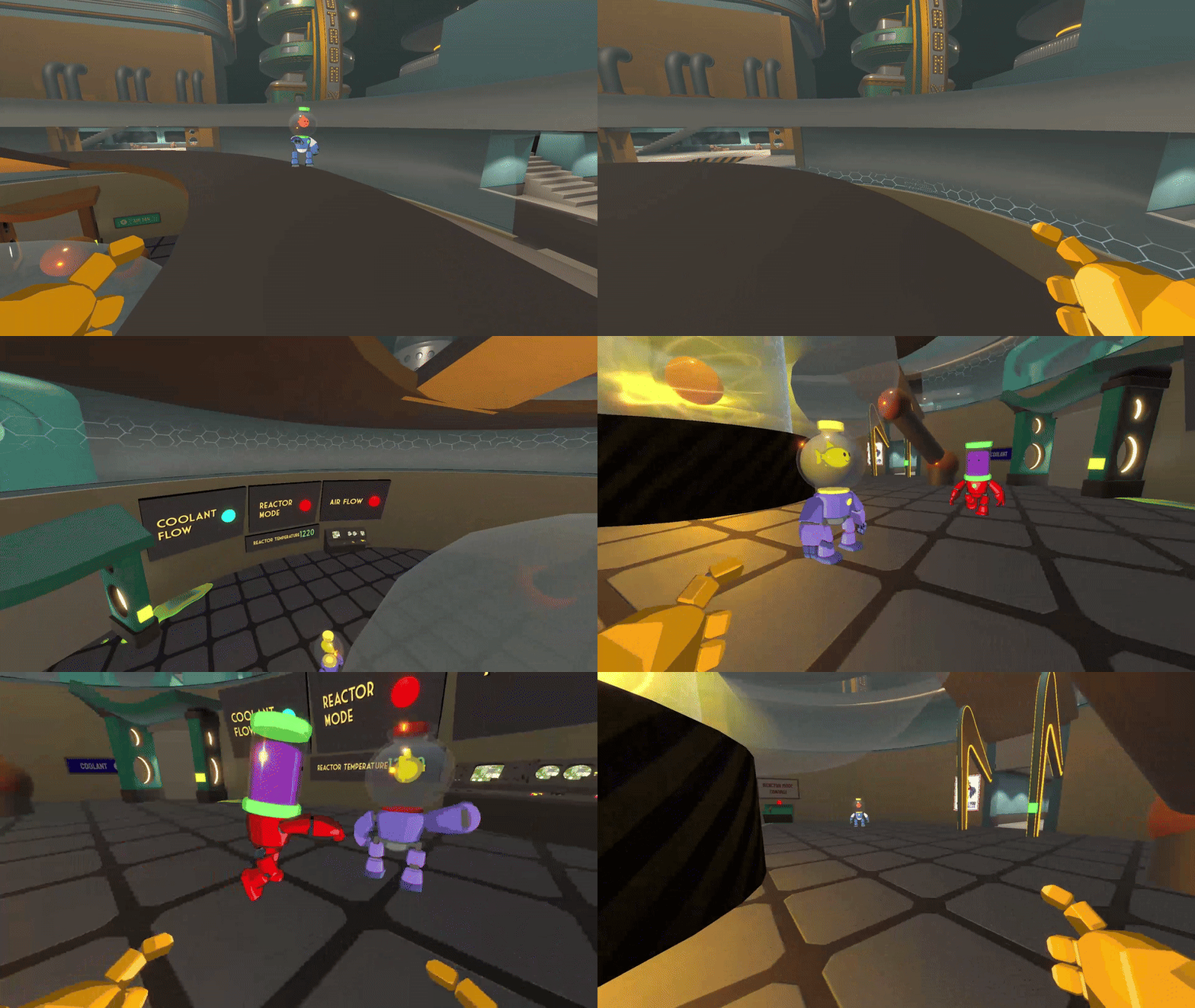
Reactor Core room, open middle lane to promote interaction and combat
What I wanted to achieve
I wanted a competitive map that creates constant mid-conflict, while also rewarding smart flanking and objective play.
Design goals
A readable 3-lane layout with flanks and a mid that naturally attracts fights
Objectives that are not just “stand here” points, but change how the map plays
Strong orientation through a central landmark and themed spaces, so players build a mental map fast
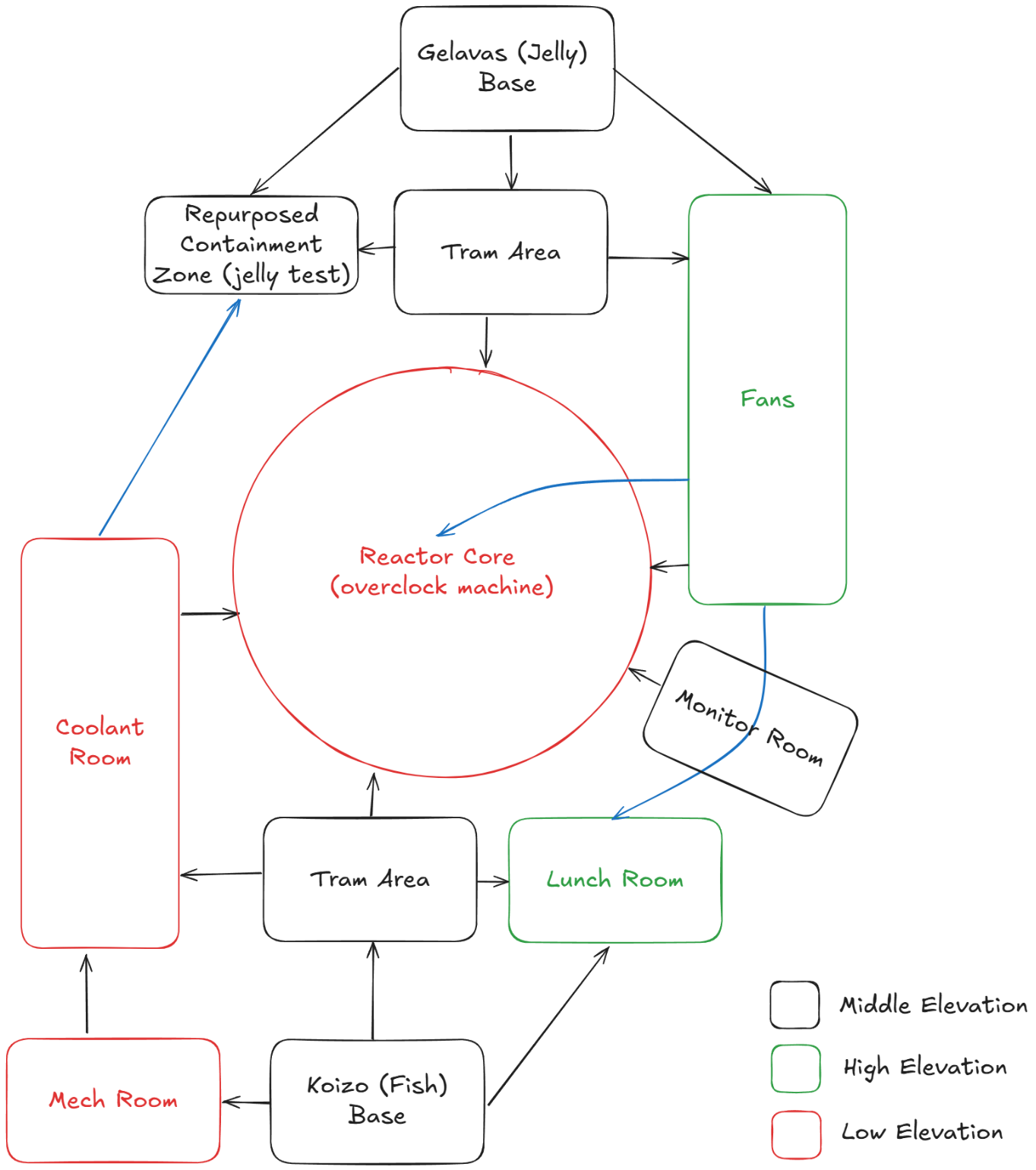
Bubble Diagram of Sector B
How I wanted to achieve it
Layout philosophy
Mirrored, flipped map for fairness, with bases on opposite sides and lanes that fan outward into intersections
A strong mid landmark so players always know where they are relative to the map state
Room theming, even for connectors, so callouts become natural: cafeteria, mech room, electrical, jelly testing
Objectives that reshape traversal
The three machines are the control points, and each one changes traversal based on whether it is cooling or heating:
Coolant Machine: cooling floods a flank with lethal water, heating drains it and opens the path
Fans Machine: cooling pulls players through vents one direction, heating reverses the vent routes
Reactor Machine (mid): cooling powers the train crossing mid, heating stops it. The reactor anchors navigation and pacing
This let the match feel alive. Teams are not only fighting over points, they are fighting over how the map functions.
Greybox to Kitbash Comparisons


Process and iteration
1) Paper to LDD to greybox
I started with lane diagrams and room flow in my LDD, then greyboxed quickly to validate scale, routes, and sightlines before art.
Visual slots
Lane diagram + route options
Early greybox top-down
“Machine state” diagrams showing how paths open/close
2) Playtest loops
I playtested and iterated continuously, focusing on:
route usage (what players ignored)
clarity (where players got lost)
time-to-mid and time-to-objective
whether machine effects created meaningful decisions
3) Key changes from feedback
Redundant fan path to mid
Players rarely used it, and the drop made it unclear where the reactor button was
I removed the path and simplified the reactor room by removing upper platforms
Result: cleaner reads, better mid fights, less “Where am I?” moments
Fans room was visually and mechanically flat
I added stairs and an upper platform with the button
Risk-reward: players could use the fans to reach the platform faster, but could also get punished if the machine flipped to “suck”
Result: the room became a real encounter space, not just a hallway with a button
4) Kitbash pass and readability test
After greybox validation, I kitbashed with asset packs and playtested again to confirm that the art pass did not distort gameplay readability or player navigation.
Three Machines that alter map traversal
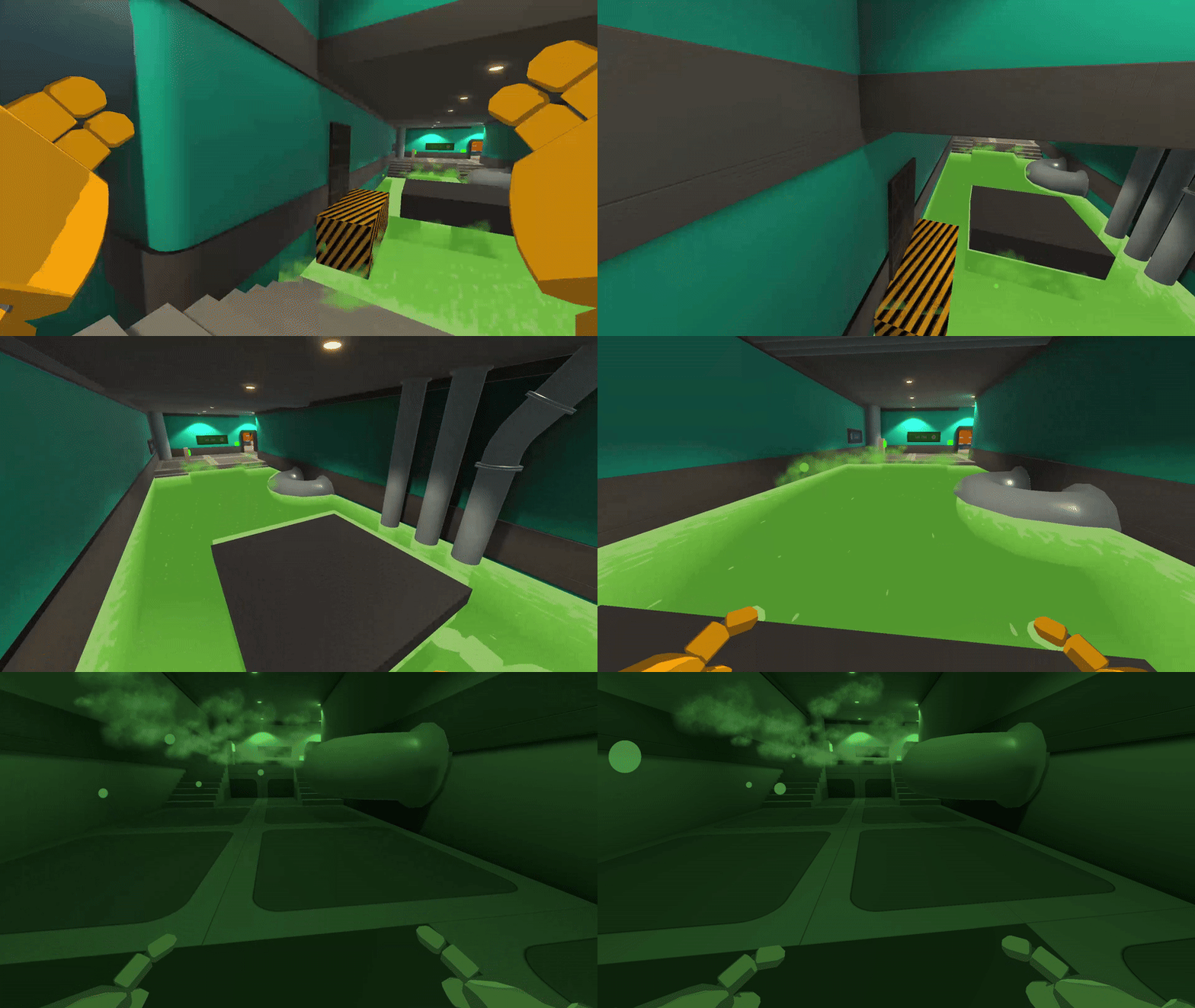
Dangerous liquid blocks flanking paths. Turn off the coolant machine to drain it or test your parkour skills on controlled platforms.
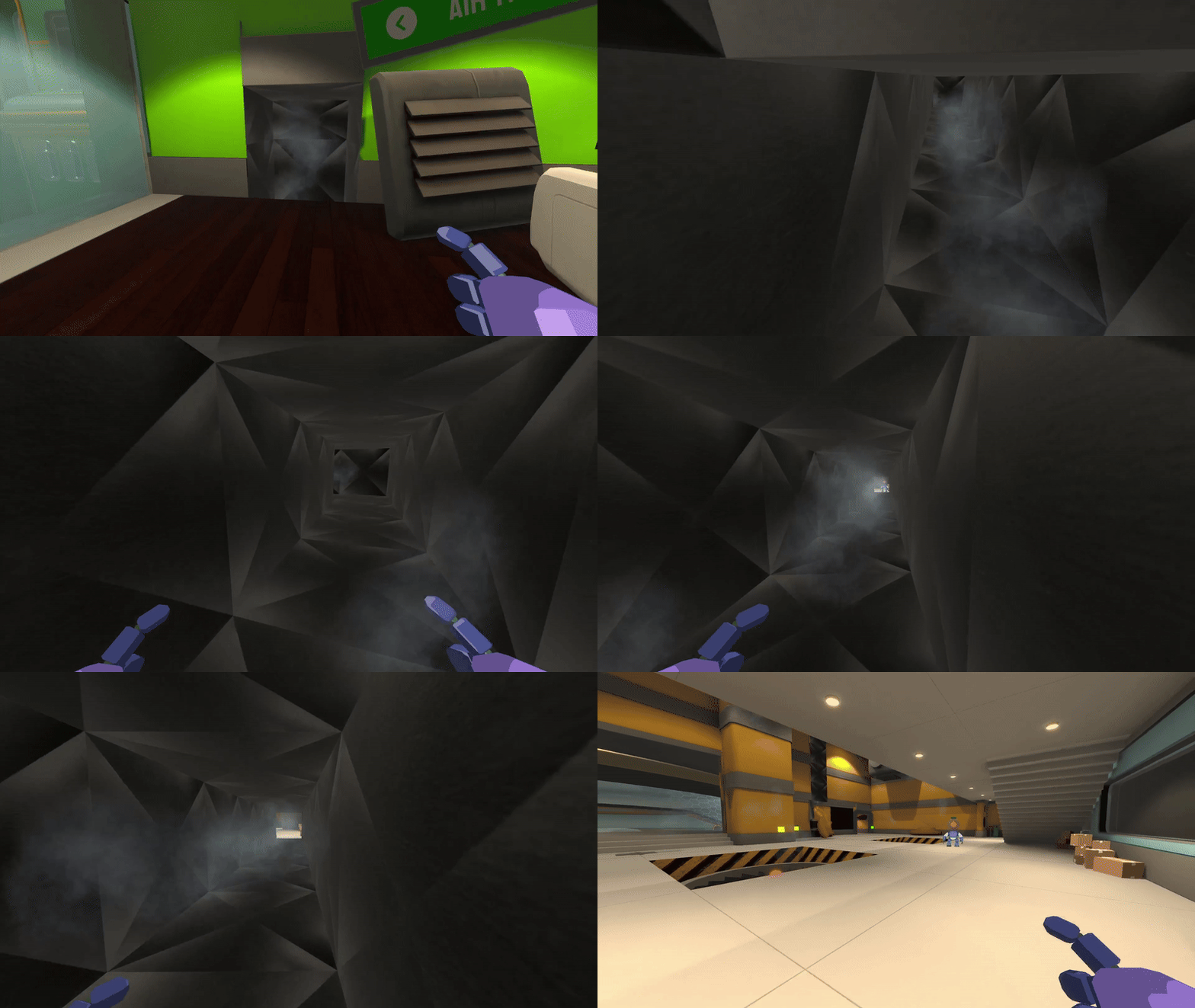
Toggle fans to unlock and block secret paths. Fan currents can push players to shortcuts or they can suck them into their blades.
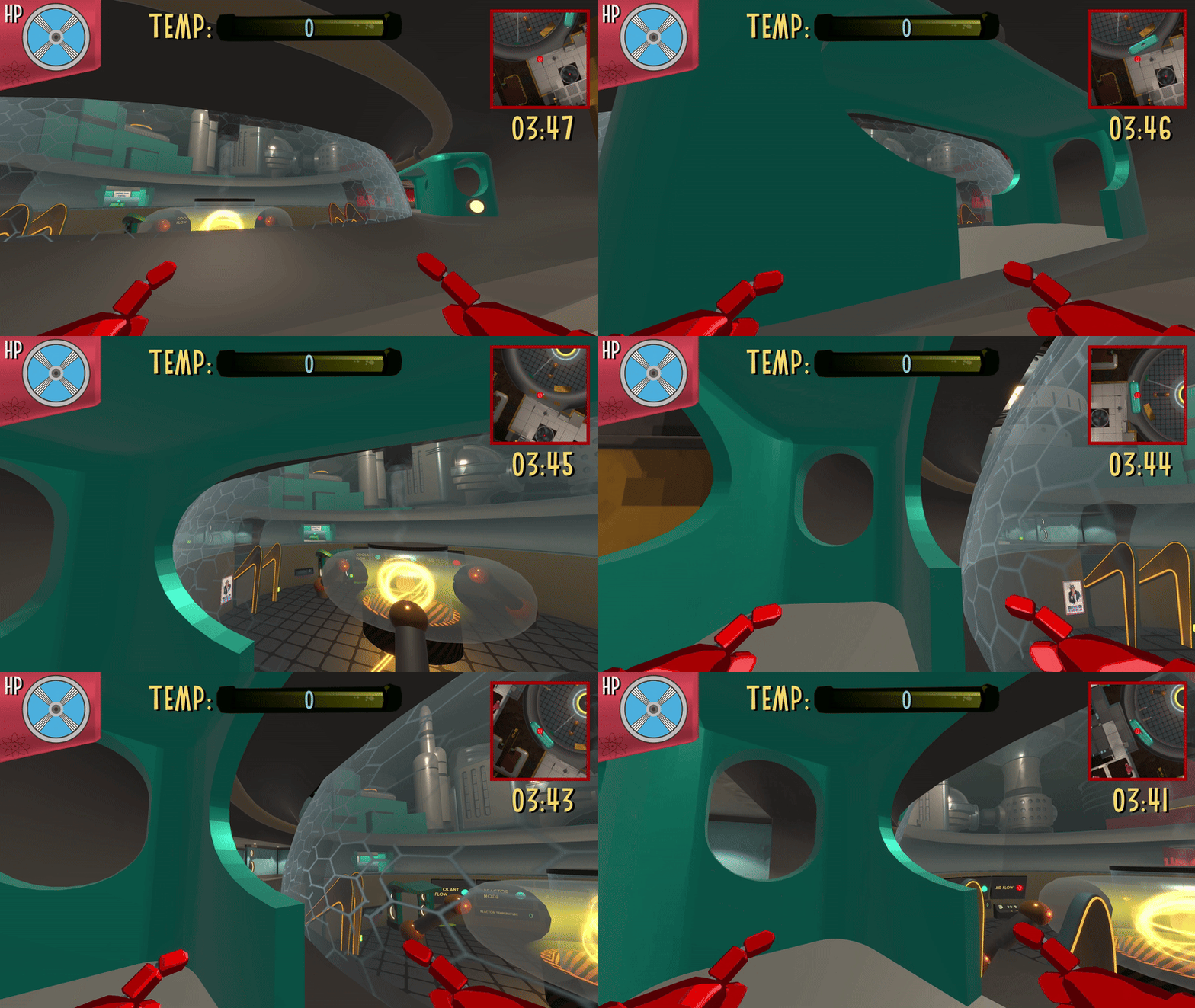
With the reactor on, the train swiftly travels between control points. Just make sure you aren’t on the tracks when it comes by.
UEFN recreation
Later, we recreated Sector B in UEFN to test mechanics with a larger, younger audience and get real feedback faster. UEFN let us prototype machine interactions quickly, rely on built-in networking, and kitbash with high-quality assets without rebuilding the entire multiplayer stack.
What I learned
The best multiplayer layouts are simple to read, but deep to play
Objectives are more interesting when they change movement and routing, not just scoring
Playtests tell you what players actually do, not what you hoped they would do
Clarity fixes often come from removing or simplifying, not adding more
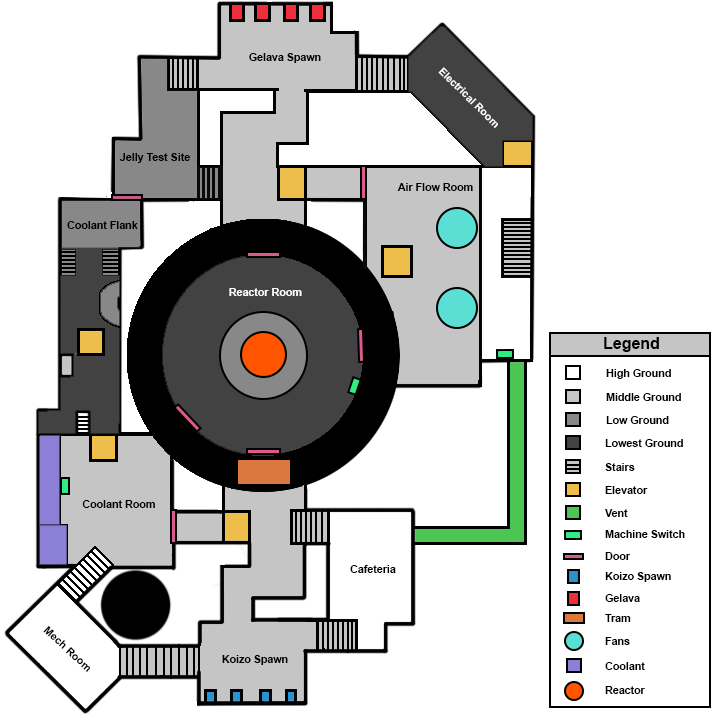
Parti Diagram of Sector B, reactor in middle acts as main landmark
Technical Design and Programming
What I owned
Match flow and client initialization (UI + game start timing)
Team tracking (server-side)
Spawn selection + respawn safety (avoid enemies/teammates, reset state)
Networked objective state: coolant fill/drain with audio feedback
Train system: tick-driven spline motion + explicit state machine + stop triggers
First-person camera setup in multiplayer
Player model and animation controller set up
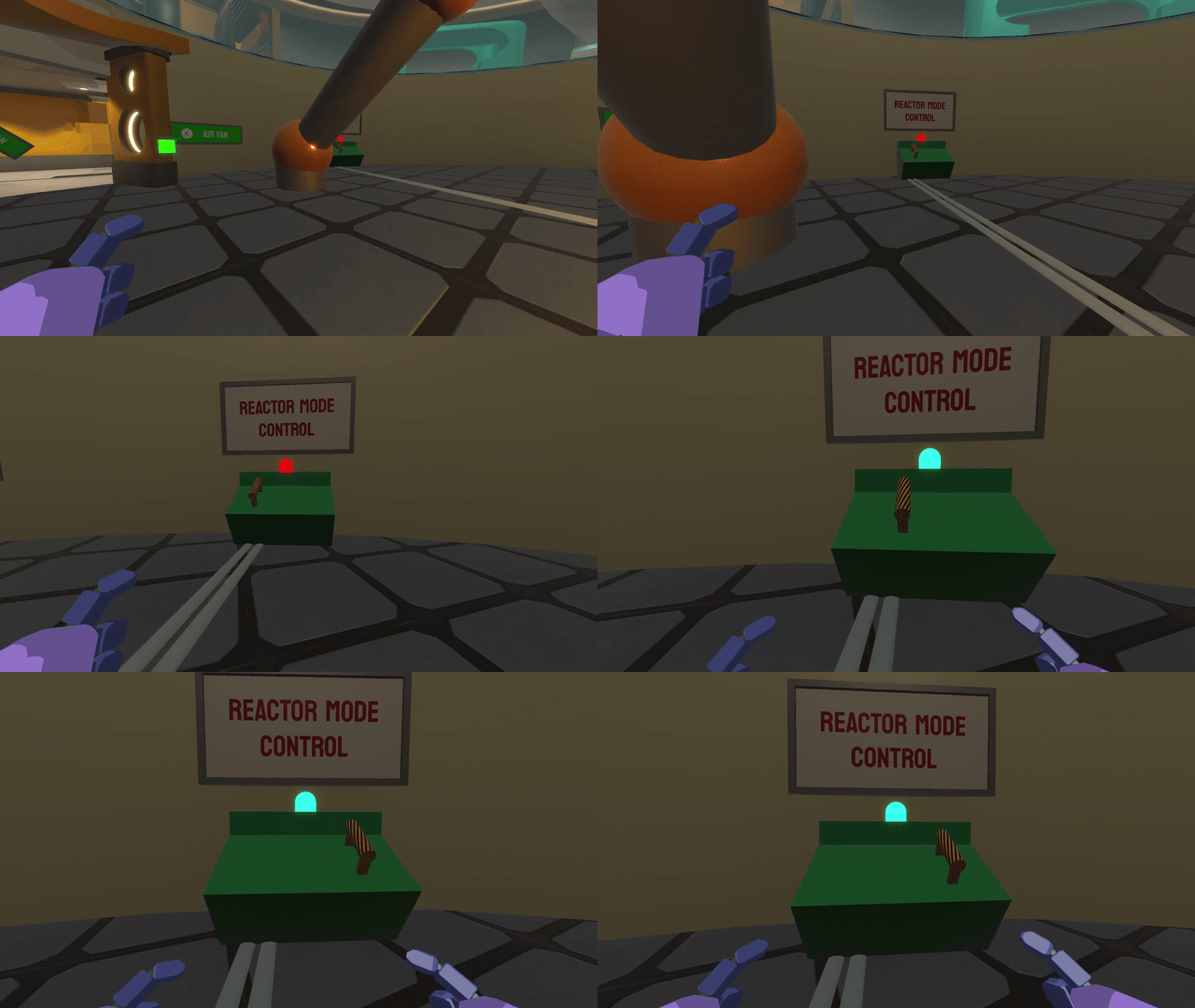
Switching the reactor machine to change the temperature to cooling. This also restarts the train to move around the map.
Problems I solved
1) Reliable match start
Problem: In networked games, UI/state can initialize before all players are actually ready, causing missing UI or desynced starts.
Fix: I added a server-side acknowledgement step that waits until every client confirms load, blocks duplicates, then triggers a single observer’s call to initialize UI and start the match timer.
Result: Match start became deterministic and repeatable.
2) Networked coolant hazard that matches game design intent
Problem: The coolant lane needed to feel like a real map state change for both teams, not a local-only visual.
Fix: I synced coolant fill/drain using a ServerRPC → ObserversRPC pattern, then smoothed the actual surface movement client-side and paired it with FMOD spatial audio so the state change reads instantly.
Result: The objective had clear, shared consequences, and players understood when the lane was safe or lethal.
3) Train traversal that stays stable in multiplayer
Problem: Moving platforms are tricky in multiplayer. If timing or state changes are sloppy, players feel jitter or the train feels unpredictable.
Fix: I drove movement on FishNet ticks and built an explicit state machine (Idle/Accelerating/Moving/Decelerating/Stopped) with smooth, damp acceleration and a timed stop routine.
Result: The train became readable, consistent, and “gameplay reliable,” which matters in a control-point shooter.
4) First-person camera correctness
Problem: In multiplayer, you must render the local player differently than remote players. If you do not separate layers and components, you get broken visuals and duplicated audio.
Fix: For non-owners, I disable the camera and minimap objects and force the mesh into a specific third-person layer. For the owner, I enable camera/audio components and store the local camera reference.
Result: Clean first-person experience for the player, correct third-person readability for everyone else.
[ServerRpc(RequireOwnership = false)]
private void ServerAcknowledgeSceneLoad(int connectionID)
{
      var sender = NetworkManager.ServerManager.Clients[connectionID];

      // If we have already counted this connection, ignore the call.
      if (loadedConnections.Contains(sender))
      {
          return;
      }

      // Add the connection to the list and log the new count.
      loadedConnections.Add(sender);

      // Check if the number of loaded connections matches the total players
      if (loadedConnections.Count >= playerCount.Value)
      {
          //run client rpc for all clients to initialize their ui managers
          Clients_InitializeUI();
          gameStartTime = NetworkManager.TimeManager.ServerUptime;
      }
}
Reliable match start (FishNet): I added a server-authoritative “ready check” so the match only begins once every client confirms the scene is loaded. It blocks duplicate acknowledgements and then initializes UI and timers for all players in one consistent moment.
private void HandleTrainMovement()
{
    if (!startTrain) return;
    walker.MoveOnTick((float)TimeManager.TickDelta);
    foreach (var t in trailers) t.MoveOnTick((float)TimeManager.TickDelta);
    if (button.deviceStatus.Value && atStop == false)
        Go();
    else if (button.deviceStatus.Value == false)
        Stop();
    switch (state)
    {
        case TrainState.Idle: // Do nothing until commanded
            break;
        case TrainState.Accelerating:
            UpdateSmooth(ref currentSpeed, ref smoothVel, maxSpeed);
            if (Mathf.Abs(maxSpeed - currentSpeed) < epsilon)
                TransitionTo(TrainState.Moving, maxSpeed, true);
            break;
        case TrainState.Moving:
            currentSpeed = maxSpeed; // Maintain constant speed
            break;
        case TrainState.Decelerating:
            UpdateSmooth(ref currentSpeed, ref smoothVel, 0f);
            if (currentSpeed < epsilon)
                TransitionTo(TrainState.Stopped, 0.001f, true);
            break;
        case TrainState.Stopped: // manual Go() resumes

            break;
    }
    ApplySpeed(currentSpeed);
}
Network-friendly moving platform: I built the train as a tick-driven system with an explicit state machine (accelerate, move, decelerate, stopped). This kept traversal readable and consistent, and made timed stops predictable during live gameplay.
Performance Improvements
Problem: Low frame rates late in development.
Investigation: Profiling showed too many expensive skeletal meshes and high triangle counts.
Fixes:
Replaced high-cost skeletal meshes with optimized static meshes where possible
Reduced tri counts on heavy assets
Set up occlusion culling
Baked lighting for stability
Result: 13 FPS to Solid 60 FPS (capped)