Unicorn Unicycle is a Unity-built mobile endless runner in the LuvBug Learning app. Players jump between floating islands to dodge enemies and collect coins and Jellybeans. Collect three Jellybeans to trigger Extravaganza mode, transforming into a plane as hundreds of coins rain down.
Company: LuvBug Learning
Role: Game Developer (2-person team), owned in-engine implementation
Project length: ~8 months
Engine: Unity, C#
Game: Mobile endless runner inside the LuvBug Learning app
Awards: EDTECH Award, Cool Tool Finalist, Mom’s Choice Award, National Parenting Product Award
Release: - Shipped on App Store or Google Play Store
What I wanted to achieve with the level
I wanted each run to feel fast, readable, and rewarding, so players stay in flow while still making quick decisions.
Player experience goals
Clear next step: players always know what the next safe landing is at a glance
Risk vs reward: bridges are safer, jumps are faster and pay better
Hype payoff: Extravaganza should feel like a true reward spike, not a random bonus
Final level after adding art
How I wanted to achieve it
Design plan
Greybox first, art later: lock the rhythm and spacing before committing to visuals
Metric-driven island spacing: place islands using jump arc, speed, and camera framing
Coins as soft navigation: coin strings reinforce the “best line” without UI arrows
Encounters as punctuation: enemies interrupt flow briefly, then the level gives the player a reward beat

How I proceeded
Workflow: greybox layout → playtest → adjust spacing/readability → layer coins/Jellybeans/enemies → repeat.
Iteration and problem solving
1) Readability issue: players hesitated or missed the next landing
Feedback: “I’m not sure where to go next.”
Change: added stepping-stone islands and stronger visual anchors at decision points
Result: smoother forward momentum and fewer “stall” moments
2) Collectibles felt scattered instead of intentional
Feedback: coins were fun, but the paths did not feel guided
Change: aligned coin arcs to ideal jump paths and used patterns to signal safer vs riskier routes
Result: collectibles became both reward and navigation, teaching movement naturally
3) Risk did not feel worth it in some sections
Feedback: players defaulted to safe routes too often
Change: put higher-value pickups and Jellybeans on riskier jump lines, with enemies placed to contest entrances/exits
Result: better decision-making moments and more variety in how runs play out
Flow Diagram of Initial Enemy Placement

Bubble Diagram of Level Layout A

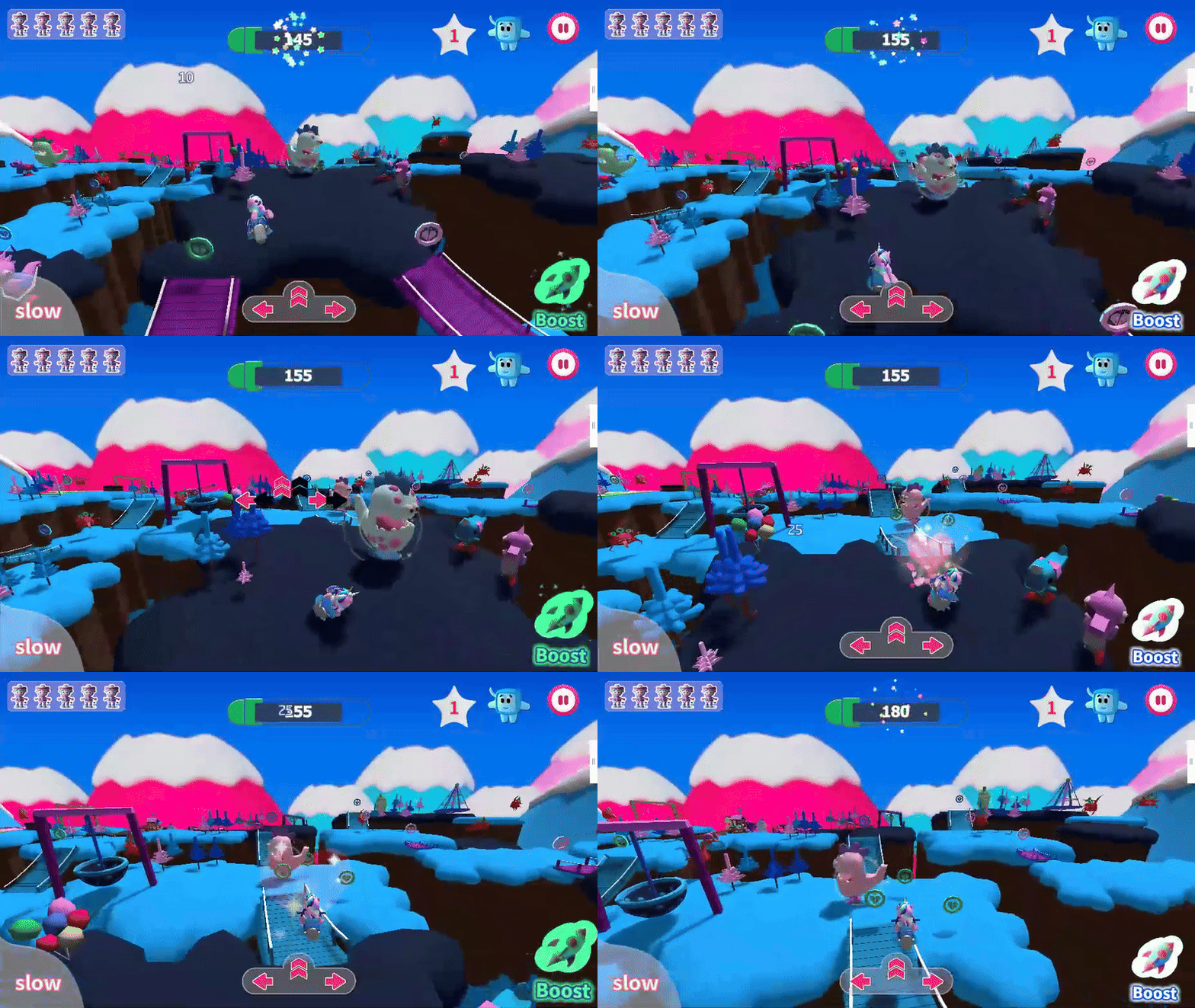
Jellybean dinosaur collectables are placed to guide player in ideal paths across bridges
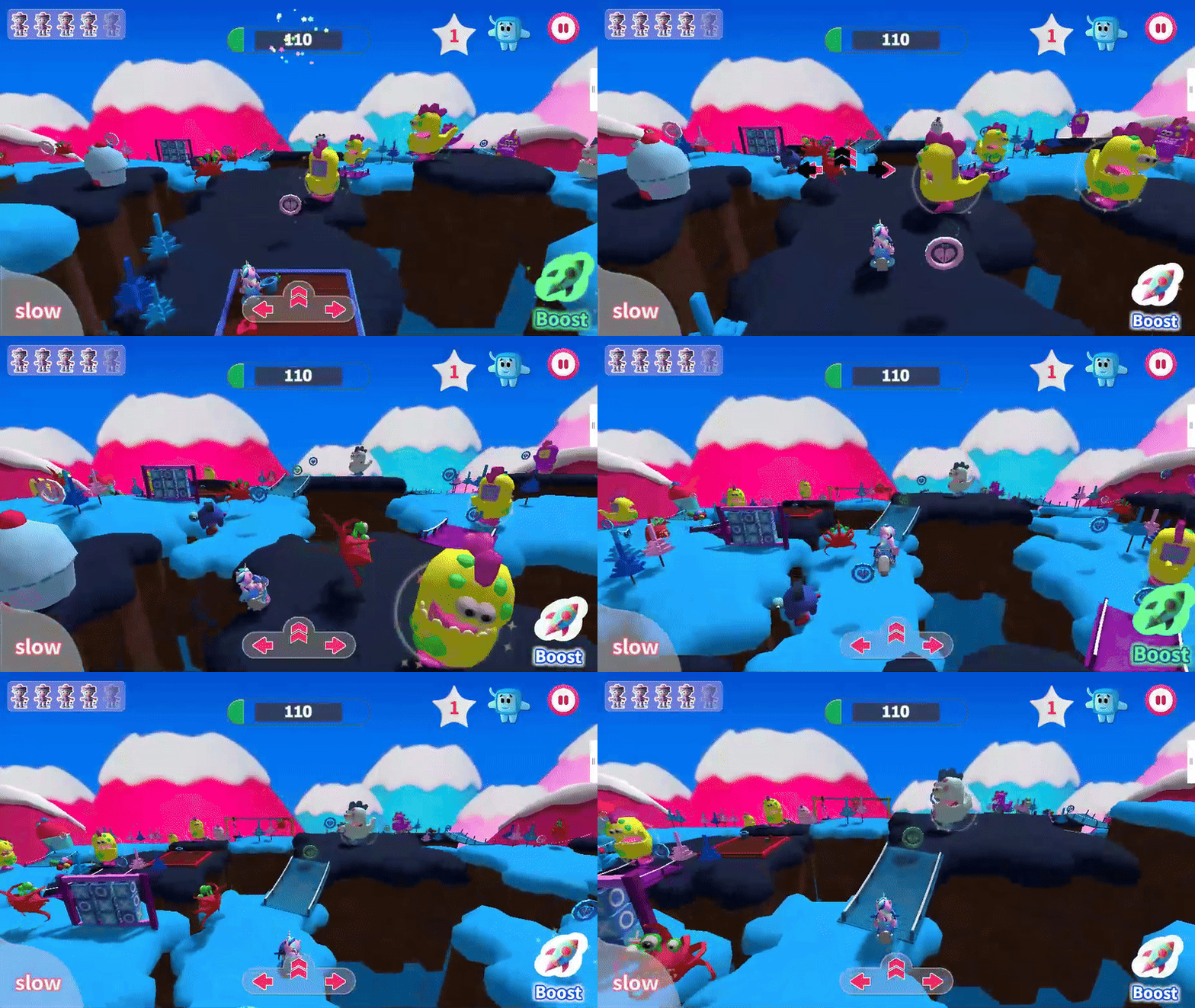
Red Enemy’s are placed on exits and entrances of islands to increase risk from jumping instead of taking a bridge
Greybox to Art


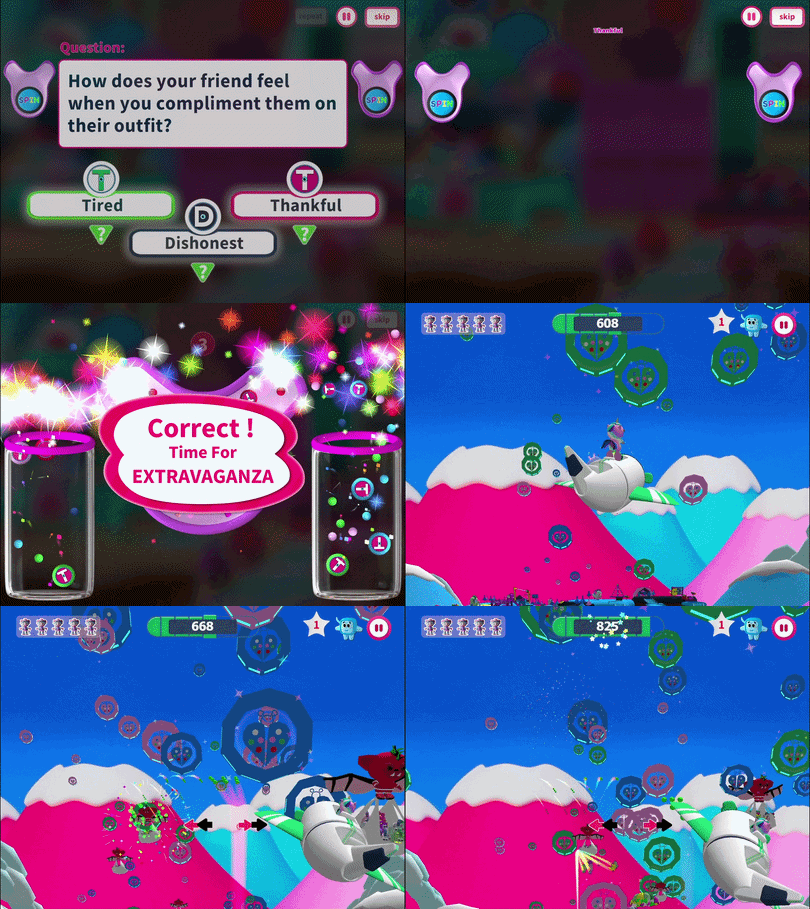
Extravaganza: switches states from a runner to a plane, new controls + reward loop
Programming and Scripting
I owned the in-engine gameplay implementation and moment-to-moment feel in Unity, focusing on systems that keep an endless runner responsive, readable, and reliable on mobile.
Gameplay systems I built
Player controller feel: tuned movement, jump timing, and responsiveness for consistent runs
Animation + SFX sync: animation controllers and event timing so actions feel sharp and readable
Enemy behaviors: movement patterns and timing that create quick “pressure beats” without feeling unfair
Extravaganza mode: state-based transformation into a plane with new controls, combat interactions, and reward pacing
Tutorial onboarding: lightweight tutorial flow that introduces mechanics without stopping momentum
Curved world effect: integrated a curved world shader to improve visual style and forward motion readability
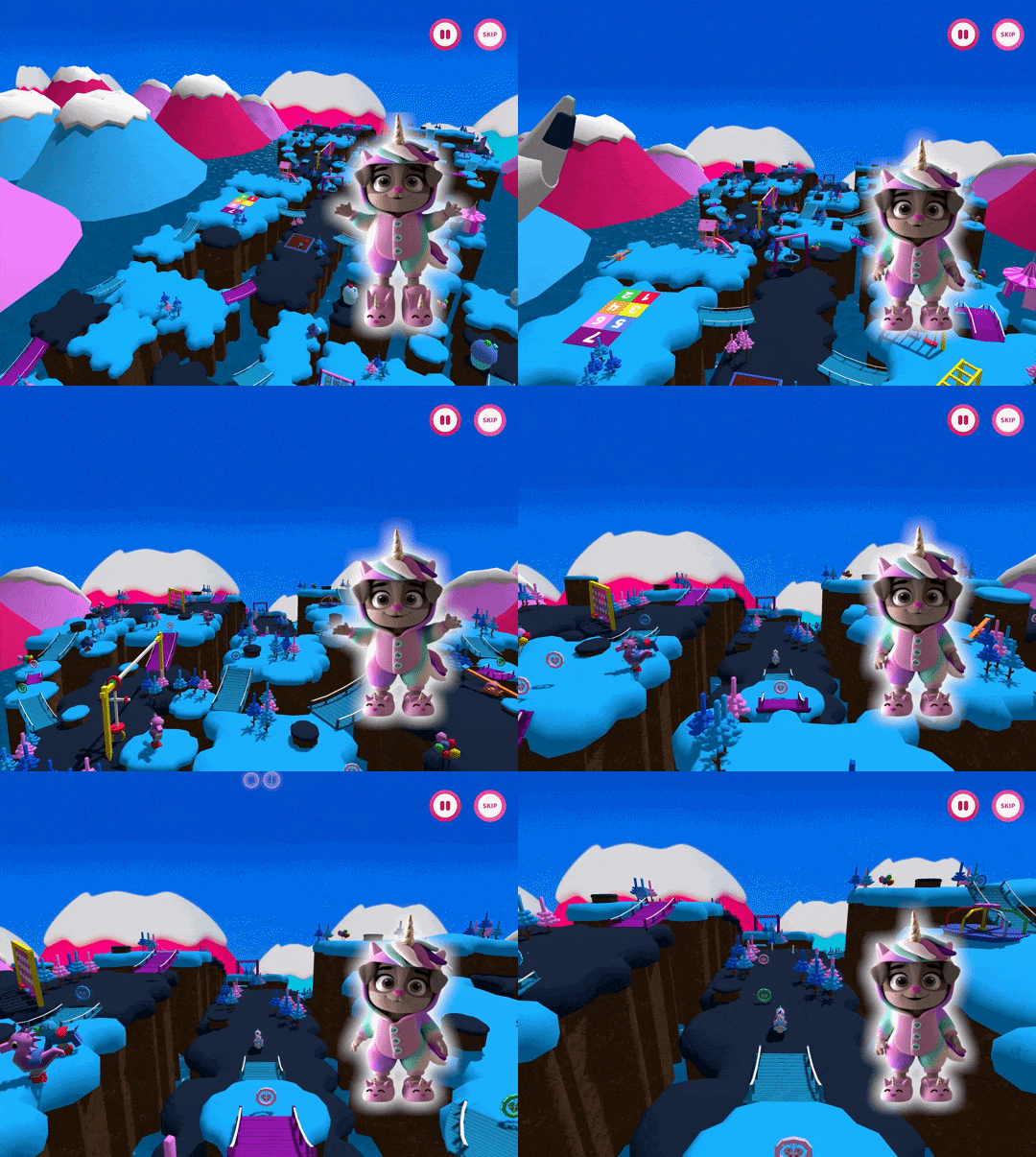
Tutorial: introduces mechanics while keeping the player moving
Optimization for Mobile
My priority was stable performance and small memory spikes during long sessions, while keeping the game lightweight for mobile installs.
What I improved
Rendering cost: atlas texturing and LODs to reduce draw calls/triangle load at runtime. Used the curved world shader to reduce visible triangles
UI efficiency: sprite slicing + TextMeshPro for cleaner UI and better performance
App size + streaming: asset bundling to download content while playing and reduce initial install size
Runtime stability: object pooling for coins, particles, and enemies to reduce instantiation spikes